Datarails vs. Anaplan: Compare FP&A Software

Looking for an Anaplan alternative that keeps your team in Excel?

Compare planning, reporting, consolidation, and implementation to see whether Datarails fits your finance team's needs.

See Datarails in Action

1
2
3

By submitting this form, you are agreeing to receive communications from Datarails. More information can be viewed in our Privacy policy.

Trusted by finance teams Join 2000+ FP&A teams already using Datarails
Capability
Datarails
Frame 1 (4)
Target Market
Mid-market and scaling organizations
Large enterprise, multinational environments
Architecture
Relational model. Add dimensions, entities, or data sources without rebuilding models.
Proprietary Hyperblock engine. Every structural change requires certified model builders.
No-code agility
Adapt models and workflows without system configuration
Structural changes require consultant involvement
Implementation timeline
6-12 weeks, fully in-house. No partner required.
Up to 18 months, always partner-driven
Excel experience
Fully connected, bidirectional Excel integration
Excel abandoned entirely, proprietary interface required
Cost profile
All-inclusive pricing. No consulting fees or hidden implementation costs
Premium enterprise investment plus implementation fees that compound significantly
AI-ready data layer
Governed financial data layer, reconciled and traceable to every source transaction
AI outputs locked inside Anaplan's architecture, difficult to export or connect to external tools
Support
100% in-house FP&A experts included in subscription
Partner ecosystem and Center of Excellence dependent
Scalability
Built for mid-market to enterprise, scales without replatforming
Built for Fortune 500 complexity, disproportionate for mid-market requirements

Take a 2-minute self-guided tour

Choose the platform that fits your planning needs

Comparing Datarails and Anaplan starts with your requirements. Consider the workflows you need today, the resources available to manage the platform, and how your business may grow. Use these six areas to guide your evaluation.

Planning scope

List the finance and operational workflows you need. Ask each vendor to demonstrate your priorities and identify which applications, configurations, or additional products are required.

Model ownership

Identify who will build, update, and maintain your models. Test a realistic change—such as adding a department or adjusting a business driver—and review the skills and support required.

Data connectivity

Review your ERP, CRM, HR, and other financial data sources. Confirm available connectors, refresh schedules, data mappings, and responsibility for maintaining each connection.

Excel workflows

Compare how each platform supports Excel reporting, inputs, formulas, and updates. Bring a representative workbook to understand what carries over and what needs adapting.

Implementation requirements

Request a scoped implementation plan covering data preparation, model configuration, validation, and training. Compare responsibilities and milestones against your next budgeting or reporting deadline.

Total cost of ownership

Compare proposals covering the same users, workflows, entities, and support needs. Include implementation, additional products, training, and ongoing administration alongside subscription fees.

Explore how Datarails supports your finance team

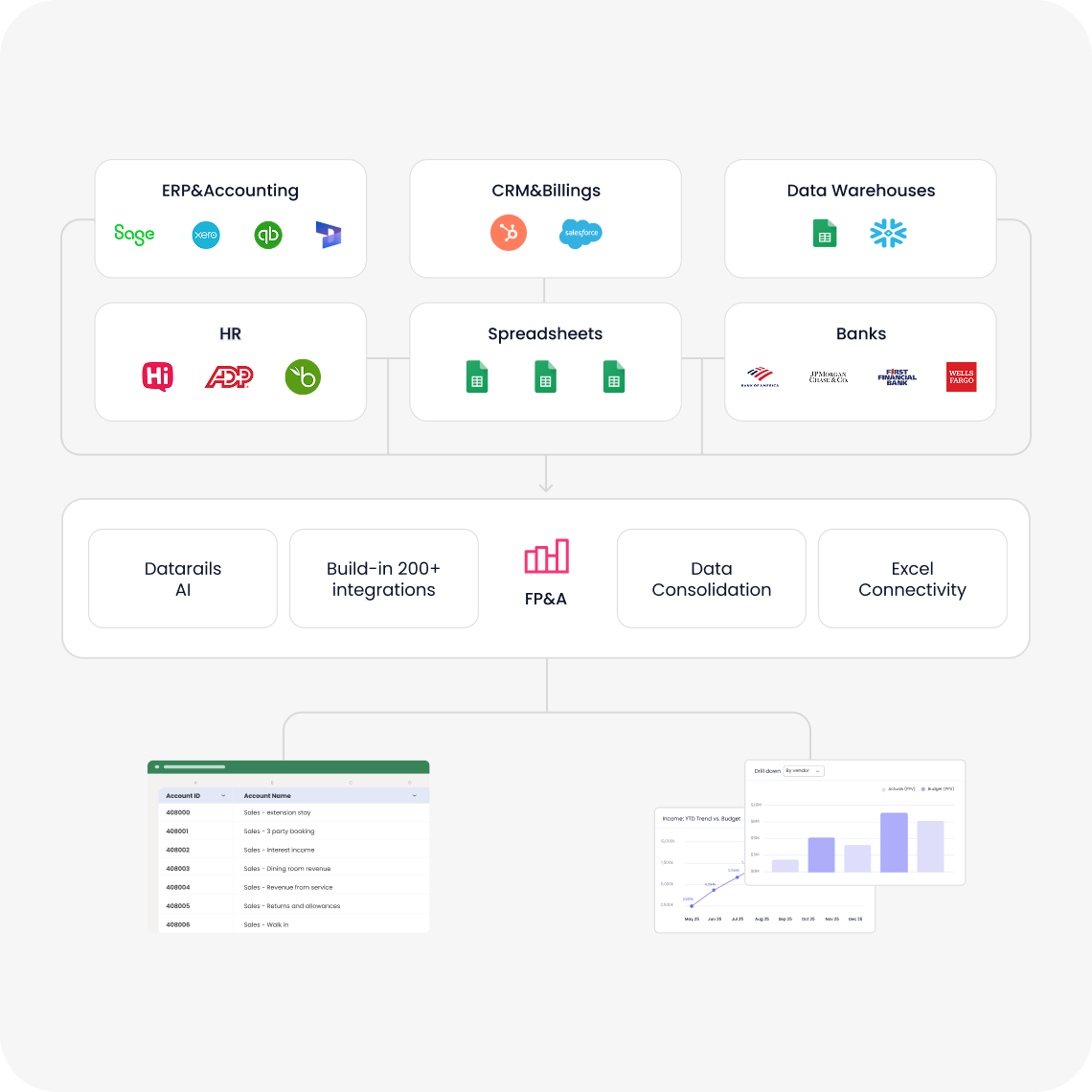
Bring financial data together

Connect financial systems and spreadsheets to support consolidated reporting and analysis. Review your data sources and entity structure during a demo to understand the configuration required.

Plan, forecast, and analyze performance

Build budgets, update assumptions, and compare forecasts with actuals. Explore scenarios that reflect your business drivers and the decisions your team needs to make.

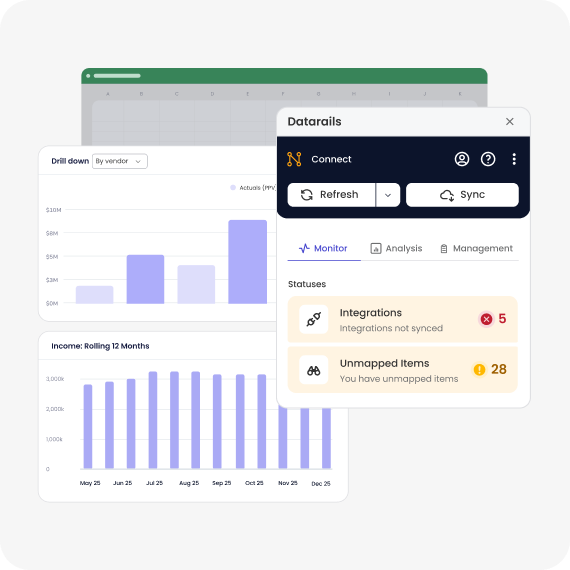
Support familiar Excel workflows

For teams using Excel, explore how existing workbooks fit into Datarails. Review formulas, data connections, and reporting requirements to identify what can carry over and what needs adapting.

Share clear financial reports

Create reports and dashboards that help stakeholders understand results. Explore how your team can investigate variances and communicate the drivers behind financial performance.

Define an implementation plan for your team

Review data preparation, configuration, training, and support with Datarails. Agree on responsibilities and milestones based on your requirements before committing to a rollout.
Automated consolidation-1
Frame 1707480806
Excel-native & web-based-1
Forecasting models
Built for collaboration-1

See whether Datarails fits your finance team

G2BestSoftware2026-Badge-Persona-AccountingFinance Badge Badge Badge Badge capterra shortlist 2026 2a342f76-15b8-465c-8cea-0dccab62c157 (3) 90c31432-a1f3-47f6-81a8-5440f506d8ee (2)

Don’t just take our word for it

Evaluating Datarails and Anaplan?

Bring your planning, reporting, and consolidation requirements to a Datarails demo. Get answers about product fit, implementation, and pricing before you decide.